Freelancers juggle multiple client projects, deadlines, and invoicing requirements simultaneously, making integrated calendar and billing solutions essential for business management. The best digital calendars for freelancers combine scheduling functionality with invoice tracking, payment reminders, and financial reporting. This guide explores top calendar options designed specifically for freelancers seeking unified project and financial management in 2025.
Why Freelancers Need Integrated Calendar and Invoice Solutions
- Centralized project tracking: Visualize all client deadlines and billable hours in one location.
- Reduced administrative overhead: Combine scheduling and invoicing eliminates context-switching between applications.
- Improved cash flow management: Track invoice due dates alongside project timelines.
- Automatic time tracking: Calendar-integrated time tracking ensures accurate billable hour capture.
- Professional impression: Timely invoicing and punctual project delivery enhance client relationships.
Top Digital Calendars for Freelancers with Invoice Tracking
1. Toggl Plan + Toggl Track
Best For: Freelancers tracking billable hours and project timelines simultaneously
Toggl Plan provides visual project timeline management while Toggl Track captures billable hours automatically. The integration creates a seamless workflow: schedule projects on the calendar, track time spent, and generate invoices based on logged hours.
- Visual project timeline planning
- Real-time time tracking
- Automatic invoice generation
- Client and project organization
- Mobile app for on-the-go tracking
2. Harvest
Best For: Freelancers prioritizing integrated time tracking and invoicing
Harvest combines powerful calendar, time tracking, and invoicing features into a unified platform. Its clean interface allows scheduling projects, logging hours against specific tasks, and automatically generating invoices—all from one dashboard.
- Calendar with project milestones
- Time tracking against projects
- Automatic invoice creation
- Expense tracking
- Payment processing integration
3. Freelancer.com Calendar & Invoicing
Best For: Freelancers using freelancer marketplace platforms
Freelancer.com integrates its job marketplace with calendar and invoicing tools, creating seamless workflows for platform-based freelancers. Projects automatically populate calendars, with built-in invoicing tied to milestones.
- Automatic project calendar population
- Milestone-based invoicing
- Integrated payment processing
- Dispute resolution for unpaid invoices
- Client communication tracking
4. Notion with Custom Invoice Templates
Best For: Freelancers seeking customizable, all-in-one workspace
Notion’s flexible database structure allows creation of integrated calendar, project tracking, and invoice management systems. While requiring setup, Notion provides unlimited customization for freelancers with specific workflows.
- Customizable calendar views
- Database-driven invoice tracking
- Client and project management
- Expense tracking and profit calculation
- Documentation and knowledge base
5. Calendly for Scheduling + Stripe for Invoicing
Best For: Freelancers offering time-based services (consulting, coaching)
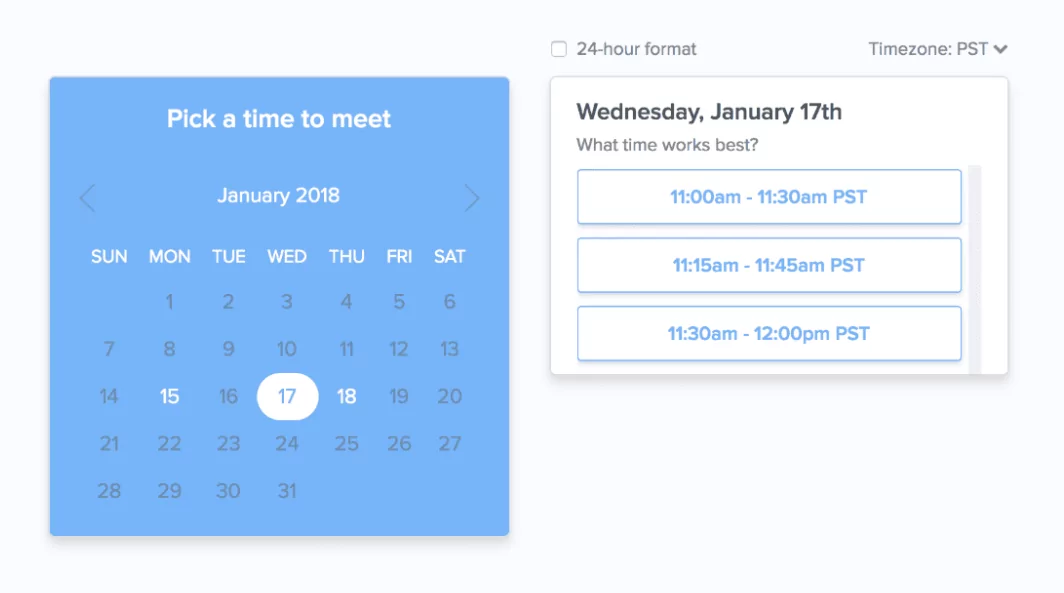
Calendly handles appointment scheduling and availability management, while Stripe or similar payment processors manage invoicing. This combination works excellently for service-based freelancers with client bookings.
- Automated scheduling links
- Client self-booking
- Payment processing
- Invoice generation at point of booking
- Calendar synchronization
6. Asana with Project Templates
Best For: Project-based freelancers managing multiple deliverables
Asana’s project management capabilities combined with calendar views enable freelancers to track projects alongside deadlines. While invoicing requires third-party integration, Asana excels at complex project visualization and timeline management.
- Project timeline and calendar views
- Deliverable tracking
- Team collaboration (if hiring subcontractors)
- Custom fields for rate and hours
- Integration with invoicing tools
7. Wave Accounting with Google Calendar Integration
Best For: Freelancers seeking free accounting and invoicing solutions
Wave provides free invoicing, expense tracking, and financial reporting. Combined with Google Calendar integration, freelancers gain affordable calendar-based project management with professional invoicing capabilities.
- Free invoicing platform
- Expense and receipt tracking
- Financial reporting
- Google Calendar sync
- Payment processing options
8. Monday.com for Freelancers
Best For: Freelancers managing multiple concurrent projects with visual workflows
Monday.com’s visual interface provides calendar, timeline, and gantt chart views for complex project management. Custom invoicing integrations connect to payment processors, creating comprehensive freelance management ecosystems.
- Multiple calendar and timeline views
- Project and client organization
- Time tracking integration
- Custom automation workflows
- Client portal features
9. FreshBooks
Best For: Freelancers seeking professional invoicing with strong calendar features
FreshBooks combines invoicing with project tracking and time logging. Its calendar view displays all client deadlines alongside billable hours, enabling freelancers to manage cash flow effectively.
- Professional invoice templates
- Project and task tracking
- Time tracking integration
- Expense categorization
- Automatic late payment reminders
10. Zoho Books with Zoho Calendar
Best For: Freelancers using comprehensive Zoho ecosystem
Zoho Books integrates with Zoho Calendar to provide unified calendar and invoicing management. The platform scales from solo freelancers to small teams while maintaining affordable pricing.
- Zoho Calendar integration
- Invoice automation
- Expense tracking
- Financial insights
- Project management features
Comparison Table: Freelancer Calendars with Invoice Tracking
| App | Calendar Features | Invoice Integration | Pricing | Best For |
|---|---|---|---|---|
| Toggl Plan + Track | Timeline planning | Automatic from hours | Free/$10-30/mo | Hour-based billing |
| Harvest | Project calendar | Integrated invoicing | $12-20/mo | Time tracking |
| Notion | Custom calendar | Custom templates | Free/$10/mo | Custom workflows |
| Calendly + Stripe | Appointment booking | Point-of-sale | Free/$8-20/mo + Stripe fees | Service-based |
| Wave + Google Calendar | Google Calendar integration | Free invoicing | Free | Budget-conscious |
| FreshBooks | Project calendar | Professional invoicing | $15-45/mo | Professional appearance |
Selecting the Right Solution
- Billing model: Hour-based freelancers benefit from time tracking integration; project-based freelancers need milestone tracking.
- Client management: Consider whether you need client portals, payment collection, or late payment reminders.
- Budget: Free or freemium options exist; premium solutions offer advanced features justifying costs.
- Integration needs: Ensure compatibility with existing tools (email, project management, payment processors).
- Scalability: Choose platforms that grow with your freelance business.
Conclusion
The best digital calendar for freelancers combines intuitive scheduling with integrated invoice tracking, reducing administrative burden and improving cash flow management. Options range from free solutions like Wave with Google Calendar to comprehensive platforms like Harvest or FreshBooks. By evaluating your specific freelance model, billing structure, and budget, you can select a solution that streamlines project management and financial operations, allowing focus on client delivery and business growth in 2025.