Artificial intelligence is revolutionizing calendar management through intelligent scheduling assistants that automate meeting coordination, optimize time allocation, and reduce administrative overhead. In 2025, sophisticated AI-powered calendar applications help professionals, teams, and organizations eliminate scheduling friction while maximizing focus time and productivity. This comprehensive review explores leading calendar apps with AI scheduling assistants, evaluating their capabilities, features, and effectiveness for diverse user needs.
The Rise of AI Scheduling Assistants
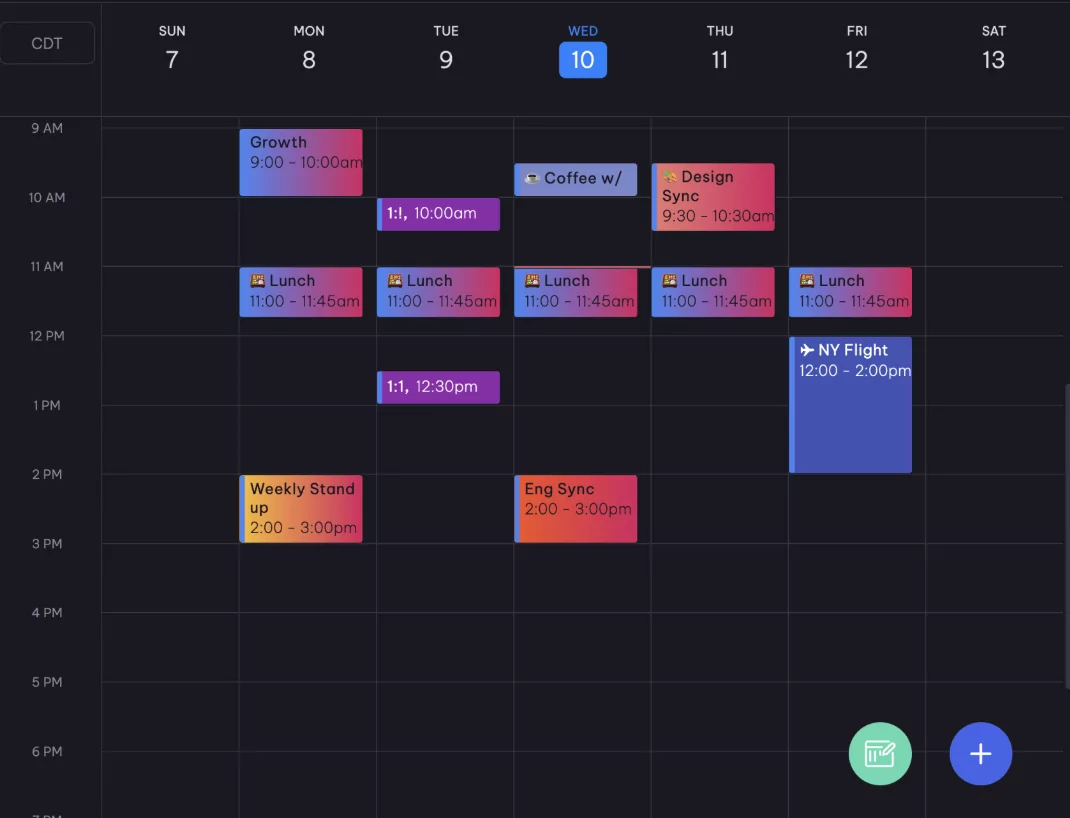
Traditional calendar management requires manual coordination, back-and-forth emails, and time-consuming meeting scheduling. AI scheduling assistants eliminate this friction by analyzing calendars, preferences, and constraints to suggest optimal meeting times, automatically block focus periods, and manage recurring scheduling patterns with minimal human intervention.
Top AI Calendar Apps in 2025
1. Reclaim.ai
Overall Rating: 9.5/10
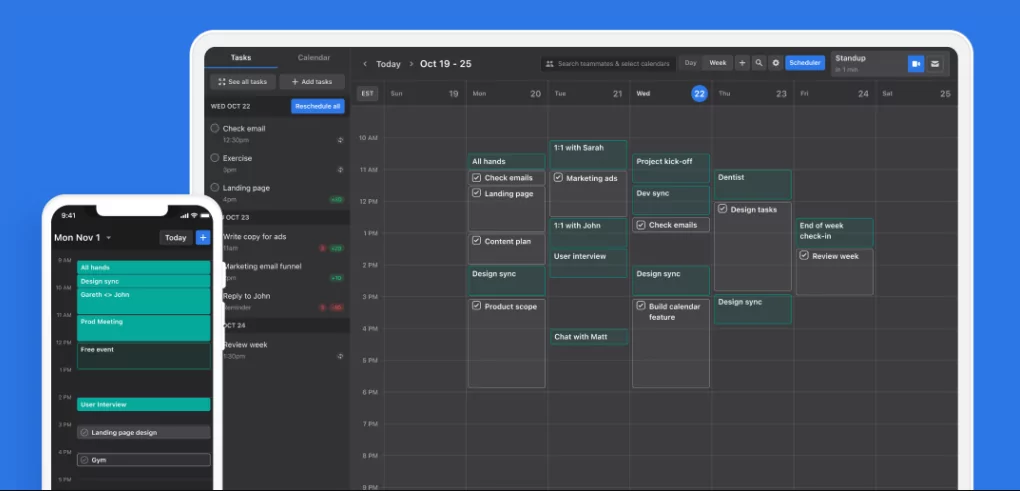
Reclaim.ai leads the market with sophisticated AI that intelligently manages schedules across multiple calendar types and integrations. Its algorithm learns user preferences, identifies focus time patterns, and automatically protects deep work periods from meeting interruptions.
Key Features
- AI-powered meeting scheduling assistant
- Automatic focus time blocking using intelligent algorithms
- Pomodoro timer integration
- Multi-calendar synchronization (Google, Outlook, iCloud)
- Habit tracking and goal integration
- Team scheduling coordination
- Meeting preparation time auto-blocking
Pricing
- Free tier: Basic features for individual users
- Pro: $10/month for advanced AI scheduling
- Teams: $20-50/month depending on team size
Pros
- Sophisticated AI learning from user patterns
- Seamless multi-calendar integration
- Focus time protection highly effective
- Excellent mobile app experience
- Strong team collaboration features
Cons
- Steep learning curve for advanced features
- Limited calendar app customization
- Premium pricing for full feature access
2. Microsoft Copilot with Outlook Calendar
Overall Rating: 8.5/10
Microsoft’s Copilot AI integrates with Outlook Calendar to provide intelligent scheduling suggestions, meeting summaries, and calendar optimization. Enterprise users benefit from deep Microsoft 365 ecosystem integration and advanced permission management.
Key Features
- Natural language scheduling commands
- AI meeting recommendations and time suggestions
- Automatic meeting summary generation
- Team workload balancing suggestions
- Email-to-calendar intelligence
- Resource allocation optimization
Pricing
- Microsoft 365 subscription: $6-22/month depending on plan
- Copilot features: Included in select Microsoft 365 plans
Pros
- Deep Microsoft 365 integration
- Enterprise-grade security and compliance
- Robust team collaboration features
- Natural language processing for scheduling
Cons
- Limited effectiveness outside Microsoft ecosystem
- Steeper learning curve for non-Microsoft users
- Requires Microsoft 365 subscription
3. Google Calendar with Smart Compose
Overall Rating: 7.5/10
Google Calendar incorporates AI through smart compose features and integration with Google’s broader productivity ecosystem. While less specialized than dedicated scheduling AI, it provides solid intelligent features within Google Workspace.
Key Features
- Smart compose for event descriptions
- Intelligent guest suggestions based on email history
- Automatic meeting duration recommendations
- Gmail-to-calendar event extraction
- Time zone intelligence for global teams
Pricing
- Free tier: Basic calendar with limited AI features
- Google Workspace: $6-18/month for full AI integration
Pros
- Free and affordable options
- Seamless Gmail integration
- Excellent cross-platform accessibility
- Strong collaborative features
Cons
- Limited dedicated scheduling AI capabilities
- No advanced focus time protection
- Less sophisticated than specialized AI assistants
4. Calendly with AI-Powered Scheduling
Overall Rating: 8/10
Calendly specializes in meeting scheduling with intelligent time suggestion and automated booking flows. Its AI learns scheduling patterns and suggests optimal availability windows for clients.
Key Features
- AI-powered time slot suggestions
- Automated scheduling links
- Calendar synchronization across platforms
- Timezone-aware scheduling
- Automatic reminder and confirmation emails
- Payment processing integration
Pricing
- Free tier: Basic scheduling
- Standard: $10/month
- Premium: $20/month for advanced features
Pros
- Excellent for client-facing scheduling
- Affordable pricing structure
- Minimal back-and-forth communication
- Mobile-friendly experience
Cons
- Primarily focused on external scheduling
- Limited internal team coordination features
- Cannot replace comprehensive calendar management
5. Fantastical with Smart Calendar Assistant
Overall Rating: 7/10
Fantastical offers natural language event creation and intelligent calendar parsing on Apple ecosystem devices. Its AI understands complex scheduling requests typed in plain English.
Key Features
- Natural language event parsing
- Intelligent meeting room suggestions
- Apple ecosystem deep integration
- Rich event editing capabilities
- Calendar parsing and conflict detection
Pricing
- Subscription: $4.99/month or $49.99/year
- Mac, iOS, and iPadOS support
Pros
- Exceptional Apple ecosystem integration
- Natural language processing quality
- Intuitive user interface
- Affordable annual pricing
Cons
- Limited to Apple devices
- Less sophisticated AI than dedicated assistants
- Smaller ecosystem and third-party integrations
Comparison Table: AI Calendar Assistants 2025
| App | AI Focus | Best For | Pricing | Rating |
|---|---|---|---|---|
| Reclaim.ai | Schedule optimization and focus time | Professionals seeking AI-driven productivity | Free/$10-50/mo | 9.5/10 |
| Microsoft Copilot | Enterprise scheduling and automation | Microsoft 365 users and enterprises | $6-22/mo | 8.5/10 |
| Calendly AI | Client scheduling automation | Service providers and consultants | Free/$10-20/mo | 8/10 |
| Fantastical | Natural language processing | Apple ecosystem users | $4.99/mo or $49.99/yr | 7/10 |
| Google Calendar | Smart compose and suggestions | Google Workspace users | Free/$6-18/mo | 7.5/10 |
Evaluating AI Calendar Assistants for Your Needs
For Individual Professionals
Reclaim.ai stands out with its focus on personal productivity optimization. Its algorithm learns your patterns and intelligently protects focus time while managing scheduling automatically.
For Enterprise Teams
Microsoft Copilot excels in enterprise environments with its deep 365 integration, advanced permission management, and team workload optimization features.
For Client-Facing Professionals
Calendly’s AI-powered scheduling reduces coordination friction for consultants, coaches, and service providers managing external client scheduling.
For Apple Users
Fantastical offers the best natural language processing within the Apple ecosystem with seamless device synchronization and intuitive interface design.
Future Trends in AI Calendar Assistance
- Predictive analytics: AI predicting optimal meeting times based on historical patterns and productivity metrics
- Emotion recognition: Calendars detecting calendar stress and automatically suggesting breaks or delegation
- Cross-platform ecosystem: Unified AI assistants working seamlessly across multiple platforms and applications
- Bias reduction: AI learning to identify and mitigate scheduling biases (time zone fairness, meeting diversity)
Conclusion
AI scheduling assistants have evolved significantly in 2025, offering sophisticated solutions for calendar management automation and productivity optimization. Reclaim.ai leads for individual professionals seeking powerful focus time protection, while Microsoft Copilot dominates enterprise environments. Selection depends on your ecosystem, team structure, and primary scheduling challenges. Whether optimizing personal productivity or coordinating complex team schedules, AI-powered calendar assistants deliver measurable value through reduced administrative overhead and enhanced focus capability.
