Self-employed professionals juggle multiple roles—business owner, manager, tax preparer, and more. Having the best calendar for self-employed professionals with robust tax planning features can make the difference between smooth operations and stressful deadlines. In this guide, discover how the right calendar helps you track key tax dates, expense deadlines, quarterly filings, and critical business milestones.
Why Self-Employed Professionals Need Calendar-Based Tax Planning
- Missed deadlines = penalties: Late tax payments or filings can lead to hefty IRS penalties and interest charges.
- Complex schedules: Quarterly tax estimates, annual returns, and various business license renewals demand year-round organization.
- Track deductible events: Logging meetings, business travel, and expenses ensures easier tax filing and maximized deductions.
- Improves cash flow: Visibility into tax due dates prevents unwelcome financial surprises so you can budget accurately.

Must-Have Tax Planning Features in a Calendar App
- Custom recurring reminders: Automate alerts for quarterly tax payment due dates, annual filings, and expense upload deadlines.
- Integration with accounting tools: Sync with apps like QuickBooks, Xero, or Wave so calendar events and financial records are aligned.
- Expense and receipt attachments: Attach digital receipts or expense notes right to your tax event for easy reference at year-end.
- Multiple calendar views: Offer daily, weekly, and annual overviews to coordinate taxes, billing cycles, and meetings in one place.
- Mobile and desktop access: Updates across devices ensure you never miss a deadline while on the go.
- Secure data storage: Protect sensitive tax information with password protection and encryption.
Top Calendar Apps with Tax Planning Tools for the Self-Employed
1. Google Calendar (with Custom Reminders & Add-ons)
- Strengths: Free, easy to use, integrates with most tax and bookkeeping software via Zapier or direct add-ons.
- Tax features: Set recurring reminders for quarterly taxes, sales tax, 1099 deadlines, etc. Use attachments and color-code tax events.
- Tip: Connect Google Calendar with Google Sheets to log expense events, or add “Expensify” for easier document linking.
2. Outlook Calendar (with Microsoft To Do and OneNote Integration)
- Strengths: Offers robust recurrence, task tracking, and deep integration with Microsoft’s ecosystem.
- Tax features: Attach receipts and files to events, use OneNote for backup documentation, schedule recurring events for taxes.
- Tip: Use categories to color-code tax deadlines, quarterly filings, and financial review periods.
3. Zoho Calendar (Integrated with Zoho Books)
- Strengths: Easily syncs with Zoho’s suite—the “Books” module can push expense reminders to your calendar.
- Tax features: Automate due dates for invoices, payments, and filings; receive pop-up and email alerts.
- Tip: Set rule-based reminders for recurring business registration and tax due dates across client accounts.
4. ClickUp and Asana (Calendar + Task Management)
- Strengths: Combines calendar events, tasks, and documentation in one workspace—ideal for complex self-employed operations.
- Tax features: Create tax-related task templates and recurring calendar events for each quarter or unique filing.
- Tip: Attach scanned receipts, contracts, and invoices to tasks that automatically sync to your calendar.
5. Calendar.com
- Strengths: Modern UI, intuitive event creation, strong analytics for time spent on different business areas.
- Tax features: Easily tag and filter tax-related events. Syncs with Google and Outlook for consolidated reminders.
- Tip: Review calendar insights monthly to ensure time allocation for record-keeping and reconciliation before tax deadlines.
How To Maximize Tax Planning With Your Calendar
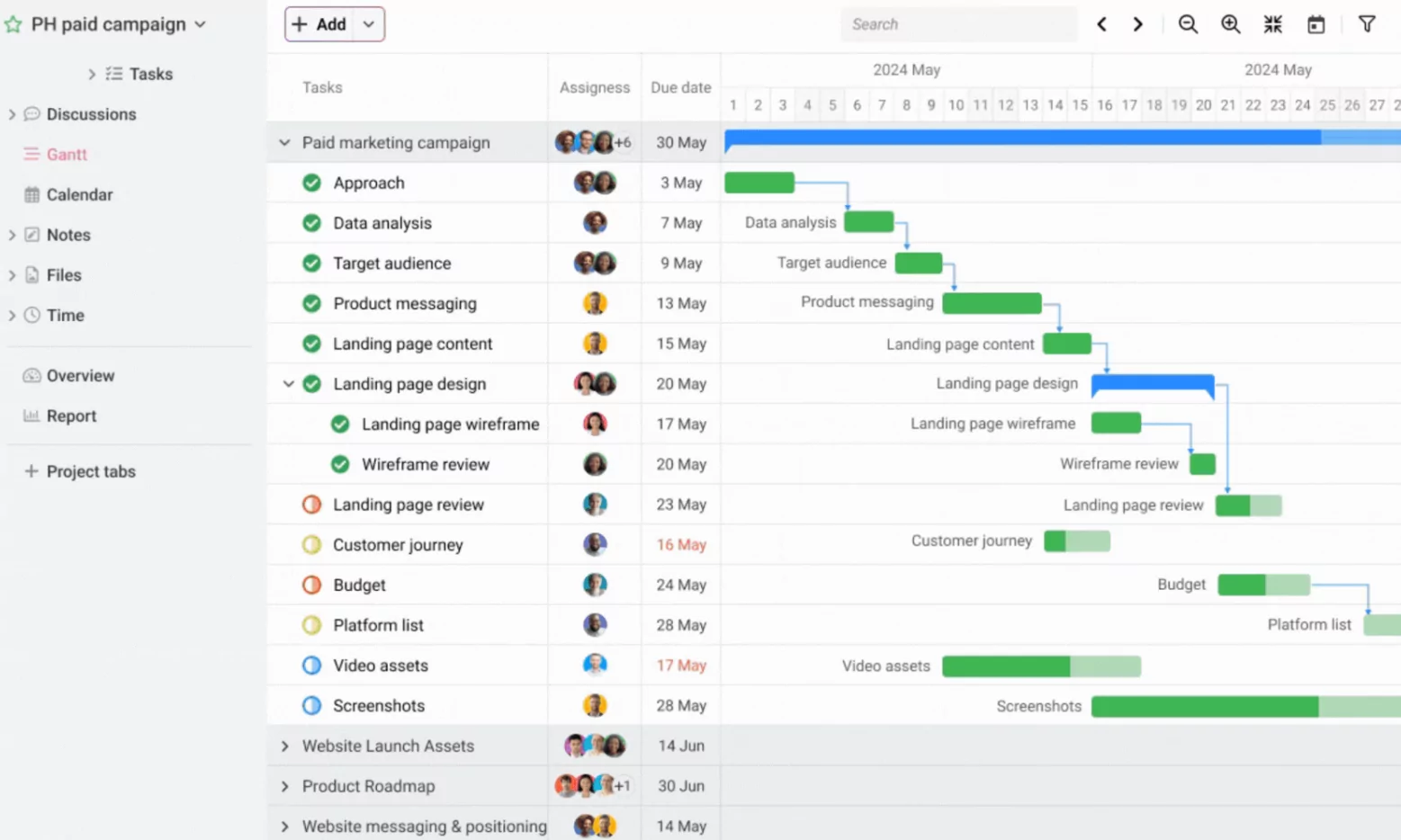
- Create a monthly financial review event: Schedule a recurring monthly check-in for balancing books, categorizing expenses, and uploading receipts.
- Add quarterly tax due dates: In the US: April 15, June 15, September 15, and January 15 of the following year. Set recurring reminders 1-2 weeks ahead for prep time.
- Set annual tax events: Mark deadlines for state and federal returns, 1099/1040 forms, and annual business license renewals.
- Attach documentation: Scan and link receipts, invoices, or digital documents to specific calendar events for easy year-end retrieval.
- Sync with your accountant: Share calendar access for transparency and easier collaboration on deadlines.
- Tag and color-code: Use tags like “TAX,” “FILING,” and “EXPENSE” for instant visual recognition of critical deadlines.
Sample Tax Calendar for Self-Employed Professionals
| Date | Event | Action Item |
|---|---|---|
| January 15 | Q4 Estimated Tax Payment Due | Submit via IRS Direct Pay; attach payment confirmation |
| February 15 | Prepare 1099s for Contractors | Download from payroll system; email to recipients and IRS |
| April 15 | Q1 Estimated Tax + Federal Return Due | File online; attach PDF of returns |
| June 15 | Q2 Estimated Tax Payment Due | Pay online; log in calendar |
| September 15 | Q3 Estimated Tax Payment Due | Pay online; attach confirmation to calendar event |
| October 15 | Extended Tax Return Due (if filed timely extension) | Review docs with accountant, file by deadline |
Pro Tips for Busy Solopreneurs
- Review calendars weekly and monthly to avoid last minute tax surprises.
- Integrate with mobile scanning apps to upload receipts on the go.
- Automate reminders for license renewals and estimated payments.
- Consider creating a “Financial Friday” recurring event for simple, ongoing tax prep.
- Utilize your calendar’s analytics or reporting to analyze tax-related tasks vs. total work time.
Conclusion: Transform Your Calendar into a Tax Planning Powerhouse
The best calendar for self-employed professionals is more than an appointment book—it’s a tax prep, cash flow, and compliance dashboard. By investing in a feature-rich calendar with tax planning capability, self-employed individuals can avoid deadlines, maximize deductions, and rest easy knowing their finances are always a step ahead. Start by evaluating the apps and features above, automate recurring tasks, and let your calendar do the heavy lifting for your business success.
