Managing a student’s life requires juggling multiple classes, assignments, exams, and extracurricular activities across overlapping timelines. The right calendar app for students transforms this chaos into organized clarity, providing automatic reminders for exam deadlines, homework due dates, and class schedules all in one accessible place. This comprehensive guide explores the best calendar and planning apps specifically designed for student success, helping you choose the perfect tool to ace your academic year.
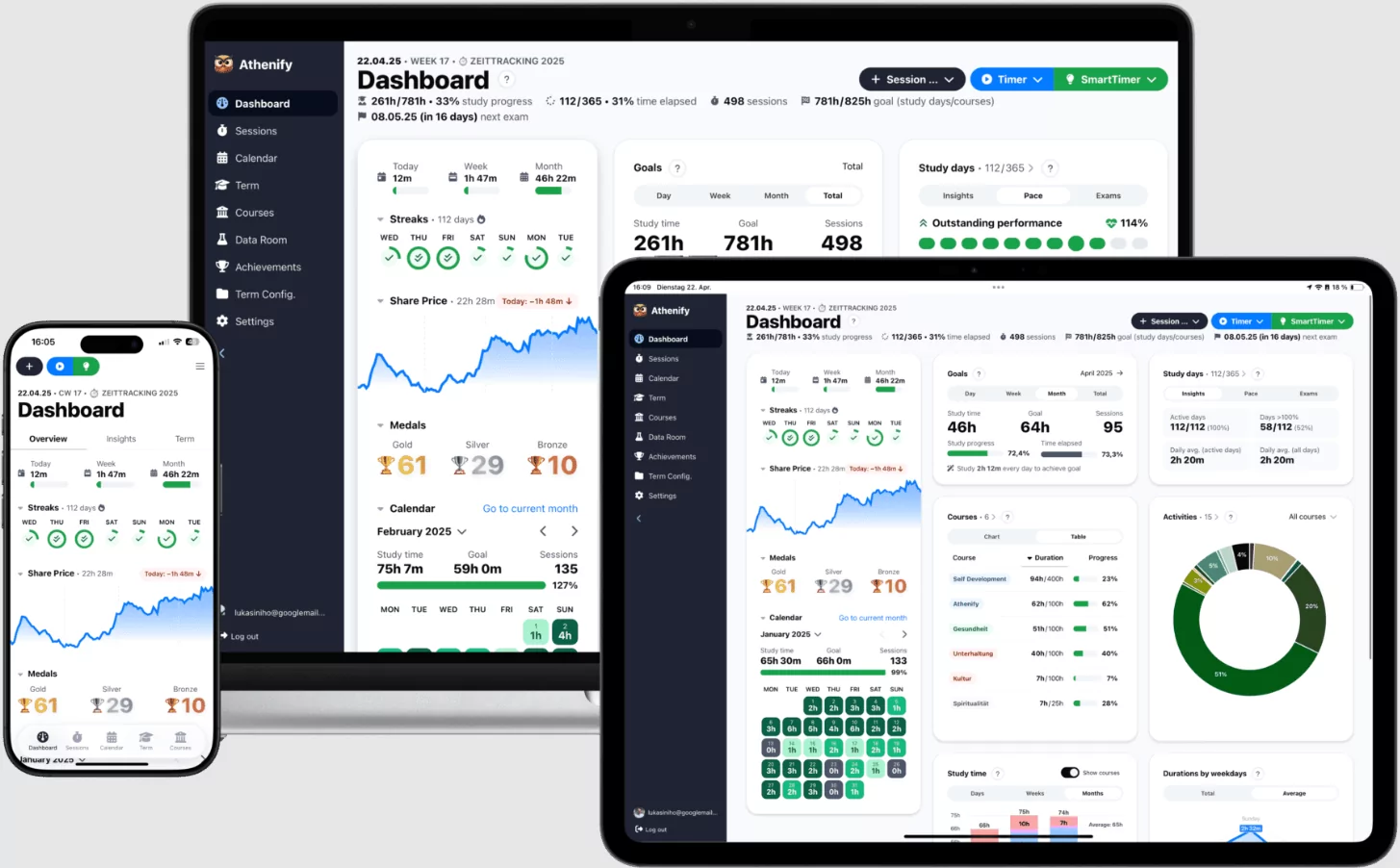
Why Students Need Dedicated Calendar and Deadline Tracking Apps
Generic calendar apps work adequately, but specialized student apps understand the unique pressures of academic life. Students face multiple challenges traditional calendars don’t address: rotating class schedules, exam countdowns, homework tracking across subjects, group project coordination, and stress-driven procrastination cycles. A dedicated student calendar app combines scheduling with task management, grade tracking, and focus tools—everything a learner needs to stay organized and reduce academic anxiety.
- Automatic homework and assignment reminders prevent missed deadlines and late submissions
- Exam countdowns build awareness and enable strategic study planning
- Subject color-coding helps visualize workload balance across courses
- Rotating schedule support accommodates alternating class patterns (Day A/B, Week 1/2)
- Cross-device sync ensures access from phone, tablet, and computer seamlessly
- Grade tracking features help monitor GPA impact of upcoming assignments
- Study reminders and Pomodoro timers combat procrastination during critical periods
Top Calendar Apps for Students in 2025
1. MyStudyLife: Best Overall Student Planner App
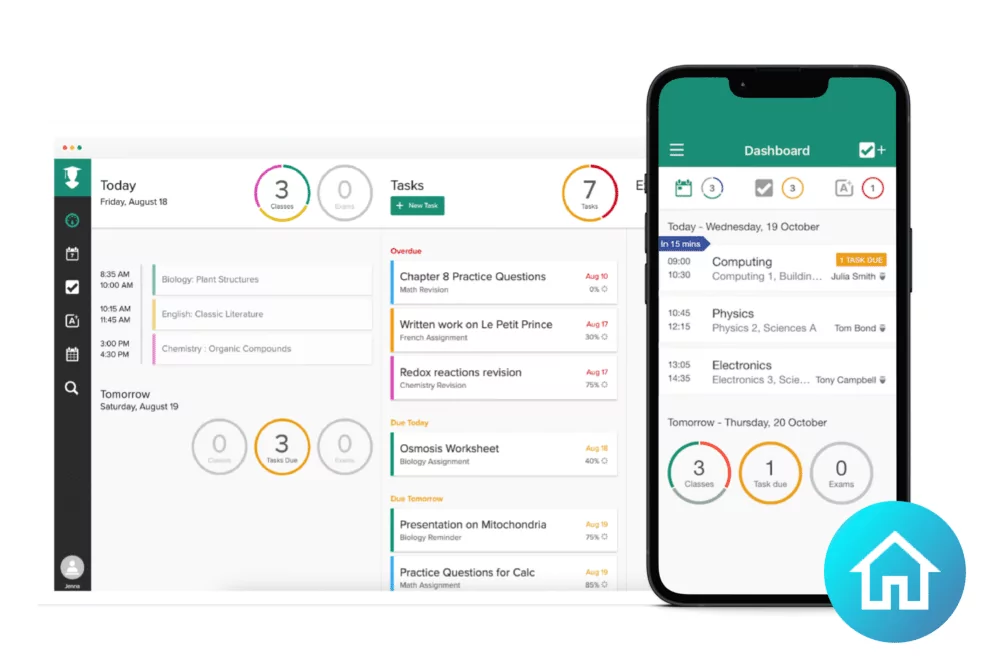
MyStudyLife emerges as the top-rated calendar app designed specifically for students, combining class scheduling, homework tracking, exam management, and study reminders in a single, intuitive interface. With a 4.7/5 rating from over 15,000 students, it’s the most dedicated student planner available.
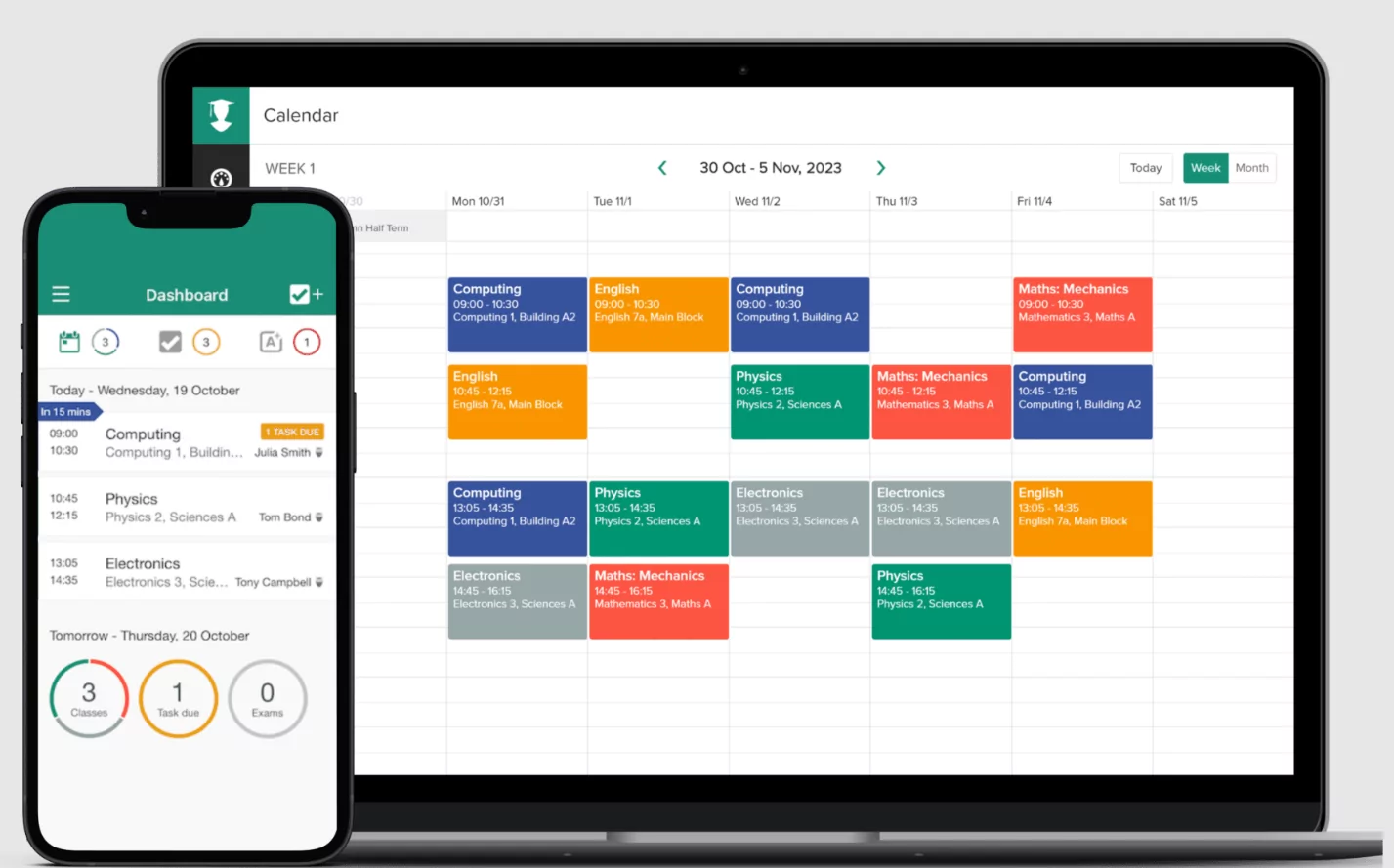
- Class Schedule Management: Add all classes, including rotating timetables that change daily or weekly. Supports block schedules, A/B day systems, and custom rotating patterns common in modern schools
- Homework & Assignment Tracking: Create assignments linked to specific courses with due dates, priorities, and completion status tracking
- Exam Countdown Feature: Set exam dates and receive escalating reminders as the date approaches, building momentum for study planning
- Smart Reminders: Customizable notifications for upcoming classes, due homework, and exams—even alerts for overdue assignments
- Grade Tracking: Monitor grades for each assignment and see how they impact overall course GPA
- AI Schedule Scan: Premium feature that reads your paper schedule and automatically populates your digital calendar in seconds
- Pomodoro Timer: Built-in study timer to boost focus during revision sessions and fight burnout
- Multiple Platforms: Seamless sync across iOS, Android, web, and desktop widgets
- Cost: Completely free with all core features; MyStudyLife+ ($4.99/month) adds AI features and advanced customization
Best For: High school and college students seeking a dedicated academic planner that truly understands student scheduling challenges. Perfect for those with rotating class schedules or complex course loads.
2. Google Calendar: Best Multi-Purpose Integration
Google Calendar remains the most versatile and widely-adopted calendar app for students, particularly those already embedded in Google’s education ecosystem through Google Classroom, Gmail, and Google Drive.
- Google Classroom Integration: Assignments from Google Classroom automatically sync to your calendar with due dates clearly marked
- Color-Coded Organization: Create separate calendars for Classes, Assignments, Personal Events, Club Activities, and Exams—each with distinct colors for visual scanning
- Flexible Reminders: Set multiple reminders per event (1 week before, 1 day before, 1 hour before) to prevent deadline surprises
- Smart Scheduling: “Find a Time” feature suggests optimal meeting slots for study groups, project meetings, and class collaborations
- Gmail Integration: Convert emails into calendar events instantly—useful for parsing assignment details from professor emails
- Cross-Platform Access: Sync seamlessly across iOS, Android, web, and desktop—view your schedule anywhere
- Shared Calendars: Coordinate with classmates for group projects by sharing calendars and seeing each other’s availability
- Cost: Completely free for unlimited calendars and users
Best For: Students using Google Classroom or Google Workspace through school. Excellent for those juggling multiple courses and needing automatic assignment syncing. Also ideal for international students and group project coordination.
3. myHomework Student Planner: Best for Homework Tracking
myHomework specializes in homework assignment tracking with a clean, dedicated interface that makes entering and monitoring assignments faster than general-purpose apps. With 50,000+ student reviews and a 4.6/5 rating, it’s proven effective for academic-focused planning.
- Homework Calendar View: See all homework assignments displayed on a calendar, making it easy to spot heavy workload days
- Assignment Widget: Keep an updatable homework widget on your phone home screen for constant visibility of due dates
- Due Date Reminders: Customizable notifications prevent being caught off guard by forgotten assignments
- Subject Organization: Categorize homework by course with color-coding for quick identification
- Progress Tracking: Mark assignments complete as you finish them for satisfaction and progress visualization
- Priority Levels: Flag high-priority assignments requiring immediate attention
- Class Integration: Link assignments to specific classes to see which courses have concentrated workloads
- Offline Mode: Access your homework list even without internet connection
- Cost: Free version with essential features; Premium ($4.99/year) removes ads and adds collaborative features
Best For: Students who struggle with homework organization or frequently miss assignments. Perfect for visual learners who need constant reminders. High school students often find this more intuitive than college-oriented apps.
4. PowerPlanner: Best for Grade Tracking and GPA Calculation
PowerPlanner combines calendar scheduling with advanced grade tracking, allowing students to see exactly how upcoming assignments impact overall GPA and course grades. With a 4.5/5 rating and 25,000+ downloads, it’s ideal for GPA-conscious students.
- Grade Calculator: Input assignment grades and see real-time GPA calculations for each course
- “What If” Scenarios: Test how hypothetical grades on upcoming assignments would impact your final course grade—essential for strategic studying
- Assignment Scheduling: Link assignments to courses and track weight toward final grade
- Class Schedule: View your daily schedule alongside due assignments for context
- Exam Management: Track exam dates and see their weighted impact on final grades
- Custom Grade Weights: Input your specific course grading rubric (participation 10%, assignments 40%, midterm 20%, final 30%, etc.)
- Cross-Platform Sync: Works on iOS, Android, and web with real-time updates
- Offline Access: View your schedule and grades without internet connection
- Cost: Free with core features; $1.99 one-time purchase for premium functionality
Best For: Competitive students focused on GPA optimization, pre-med students, and those applying to selective graduate programs where precise GPA tracking matters. Excellent for understanding grade impact before submitting borderline work.
5. Notion: Best for Customized Academic Workspace
Notion offers unparalleled customization, allowing students to build personalized planning systems combining calendars, notes, databases, and kanban boards. It’s more flexible than specialized apps but requires initial setup time.
- Unified Calendar View: Sync Google Calendar, Apple Calendar, and Outlook within Notion—all classes and deadlines in one dashboard
- Database Views: Create databases for classes, assignments, and exams with multiple views (calendar, table, kanban, timeline) to visualize differently
- Class Profiles: Store professor contact info, office hours, grading rubrics, and syllabus links all connected to your calendar
- Assignment Templates: Create reusable templates for recurring assignment types with checklists and due date formulas
- Grade Tracker: Custom grade database tracking assignments, scores, and calculations
- Study Notes Integration: Link calendar events to note databases, keeping all study materials organized together
- Time-Blocking Templates: Visual weekly schedules showing classes, study time, and other commitments side by side
- Collaboration Features: Share databases with study group members for coordinated project planning
- Cost: Free for personal use; Premium features ($4/month) unlock advanced integration and unlimited storage
Best For: Tech-savvy students who enjoy customization and want a unified workspace for planning, note-taking, and project management. Research-heavy majors benefit from integration with note databases. Best for self-directed learners.
6. TickTick: Best for Productivity and Pomodoro Integration
TickTick merges task management with focus tools, providing built-in Pomodoro timers, habit tracking, and calendar views—all essential for combating procrastination during exam season. With 50,000+ reviews and 4.5/5 rating, it’s proven effective for students struggling with focus.
- Built-In Pomodoro Timer: Start 25-minute focus sessions directly from tasks without switching apps. Includes white noise options (rain, coffee shop) to boost concentration
- Task-Calendar Integration: See assignments on calendar AND as prioritized task lists—dual views prevent important deadlines from getting missed
- Time Tracking: Log actual study time spent on assignments to see realistic effort—many students discover they’re studying far less than they think
- Habit Tracking: Build consistent study routines with daily habit tracking for subjects or study sessions
- Priority Matrix: Organize tasks by urgency and importance to identify which assignments to tackle first
- Recurring Tasks: Set weekly readings, lab reports, or recurring assignments to appear automatically
- Subtasks: Break complex assignments into actionable steps, making overwhelming projects manageable
- Calendar View (Free): Unlike many apps, TickTick offers calendar view even in the free tier
- Cost: Free version with essential features; Premium ($2.40/month) unlocks focus mode and advanced features
Best For: Students struggling with procrastination or focus issues, especially during exam season. Perfect for those who benefit from gamification and visual progress tracking. Ideal for understanding personal study time reality vs. perceived effort.
7. TimeTree: Best for Group Project Coordination
TimeTree specializes in shared calendar coordination, making it the best option for students managing group projects, study groups, and team-based courses. Its real-time collaboration features keep distributed teams synchronized.
- Shared Calendars: Create calendars for specific group projects where all team members see and edit together
- In-App Commenting: Discuss event details directly on calendar items—avoid scattered Slack or email threads
- Smart Notifications: Get alerts for group project deadlines, meetings, and updates without missing anything
- Availability Viewing: See team members’ calendars to find optimal meeting times instantly
- Cross-Platform Sync: Works seamlessly on iOS, Android, and web for always-current group coordination
- Private & Shared Separation: Maintain personal calendar separate from group calendars for privacy
- Task Assignment: Assign project tasks to specific team members with deadlines
- Time Zone Support: Handles international group projects with automatic time zone conversions
- Cost: Free with core features; Premium ($3.49/month) adds unlimited shared calendars and advanced customization
Best For: Students managing multiple group projects, study groups, or team-based assignments. Particularly valuable for international students coordinating across time zones. Essential for capstone projects and collaborative research.
8. Apple Calendar: Best for iPhone and iPad Users
Apple Calendar (via iCloud) provides native integration for students exclusively on Apple devices, with seamless synchronization across iPhone, iPad, Mac, and Apple Watch.
- iCloud Family Sharing: Add up to five family members to share schedules—useful for coordinating family commitments alongside studies
- Calendar Layers: Create separate calendars for Classes, Exams, Assignments, and Personal to organize visually
- Siri Integration: Create calendar events by voice command—”Add exam study session Thursday at 7 PM”
- iCloud Backup: All calendar data automatically backed up and synced across all Apple devices
- Apple Watch Sync: View schedule directly on your wrist for glance-based schedule checking
- Do Not Disturb Integration: Silence notifications during focus study time automatically
- Color-Coded Categories: Assign colors to course types for visual organization
- Cost: Free with Apple ID; no premium tier necessary
Best For: Students exclusively on Apple devices who want native calendar functionality without third-party apps. Perfect for those already using Apple’s ecosystem and wanting minimal setup.
How to Choose the Best Calendar App for Your Student Needs
Assess Your Primary Challenge
Identify whether you struggle most with: missed deadlines (use myHomework), focus and procrastination (choose TickTick), GPA optimization (pick PowerPlanner), or group project coordination (go TimeTree). The best app solves your specific pain point rather than offering generic functionality.
Consider Your Technology Ecosystem
Students using Google Classroom benefit most from Google Calendar. Apple-exclusive users should try Apple Calendar first. Those embedded in Outlook should explore Microsoft Outlook Calendar. Cross-platform flexibility matters for students accessing calendar from different devices throughout the day.
Evaluate Setup vs. Ongoing Use Time
Apps like MyStudyLife and Google Calendar require minimal setup but offer straightforward functionality. Notion requires significant initial customization but provides maximum long-term flexibility. Start simple; migrate to complex systems only if simpler apps feel limiting after 2-3 weeks of use.
Prioritize Key Features
Create a feature checklist: Exam countdowns? Grade tracking? Pomodoro timers? Group coordination? Rotating schedules? Choose apps emphasizing your essential features rather than trying to cover everything.
Test Free Versions First
Nearly all recommended apps offer free versions covering most student needs. Use free tiers for 2-3 weeks before considering paid upgrades. Premium features are rarely necessary for student calendar management.
Best Practices for Effective Exam Schedule and Deadline Tracking
Input Your Entire Semester Upfront
During the first week of classes, enter all exam dates, major assignment deadlines, and project due dates immediately. This early input prevents surprises and allows strategic planning across the semester. Review syllabus exam schedules and mark tentative dates even before confirmed.
Color-Code by Course
Assign distinct colors to each course—all Biology class items in blue, English assignments in red, etc. This creates instant visual recognition, helping you spot which courses have concentrated deadlines on specific weeks.
Set Multiple Reminder Notifications
Create three-tier reminders: 2 weeks before major deadlines (time to plan), 3 days before (start work), and 1 day before (final push). Graduated reminders build awareness without creating alert fatigue.
Use Exam Countdowns Strategically
Apps with countdown features (MyStudyLife) psychologically boost study preparation. Watching days decrease to exam date creates urgency and helps you allocate study time proportionally to remaining time.
Link Tasks to Calendar Events
Rather than separate to-do lists, maintain homework as calendar events with time blocks. This visual integration prevents calendar viewing from showing available time when you actually have assignments consuming that time.
Review Weekly and Adjust
Every Sunday evening, review your upcoming week: Which courses have concentrated deadlines? Which need immediate work? Which have flexibility? This review prevents Monday crisis discoveries.
Common Calendar App Mistakes Students Make
Over-Complicated Setup
Students often create elaborate systems with excessive categories, tags, and custom fields. Start simple: just courses, assignments, and exams. Add complexity only if simplicity becomes limiting.
Ignoring Recurring Events
Classes, weekly readings, and regular assignments should be recurring events, not manually entered each week. Set recurring patterns during semester setup to eliminate duplicate entries.
Forgetting to Sync School Calendar Systems
Many schools provide official academic calendars showing exam periods, breaks, and holidays. Import or sync these into your personal calendar to avoid scheduling personal work during designated exam weeks.
Creating Calendar Without Acting on It
A calendar is only effective if you actually check it regularly. Build the habit: review before bed nightly, check first thing in the morning, and review before starting study sessions. Notifications help, but habit checking prevents surprise discoveries.
Neglecting Group Deadlines
Many students track personal assignments but forget shared project deadlines. Explicitly add group meeting times and collaborative deadlines with reminders to ensure team coordination.
Integration Strategy: Multi-App Approach
The most effective student systems often combine apps rather than choosing just one. A typical powerful setup might be:
- Google Calendar: Central scheduling hub for classes and broad deadlines
- MyStudyLife or myHomework: Dedicated homework and exam tracking
- TickTick: Task management with focus timers during exam periods
- TimeTree: Group project coordination when team assignments arrive
This combination prevents single-app complexity while ensuring each tool specializes in its strength. Most apps sync or complement each other, maintaining consistency across platforms.
Conclusion: Transform Academic Chaos into Organized Success
Effective exam schedule and deadline tracking separates students who manage their workload from those overwhelmed by it. MyStudyLife stands as the best overall for comprehensive academic planning; Google Calendar excels for Google Classroom integration; myHomework specializes in homework visibility; PowerPlanner optimizes for GPA tracking; and TickTick solves procrastination and focus challenges.
Begin by selecting one app matching your primary challenge. Input your entire semester’s schedule immediately. Build the habit of daily calendar review. Then, if needed, supplement with a second app addressing secondary needs. Most students discover that simple, consistent calendar usage prevents deadline crises, reduces anxiety, and enables strategic academic success. Choose your app today and commit to regular use—your future grades will reflect this foundational organizational decision.
